
For everyone
Free account
0 zł
Sign up with your e-mail or Google account, no card needed.
- First check of any website
- QR generator, compressor, e-mail verifier
- Google Business Profile: reviews, photos, ranking map
- Invoices and newsletter
Free tools10 min
A website audit in plain words, replies to Google reviews, a local ranking map, invoices and a QR code for your flyers. Here is what you can do in the free Webs Butler panel.
 Daniel XhemalçeOctober 22, 2026 · 10 min read
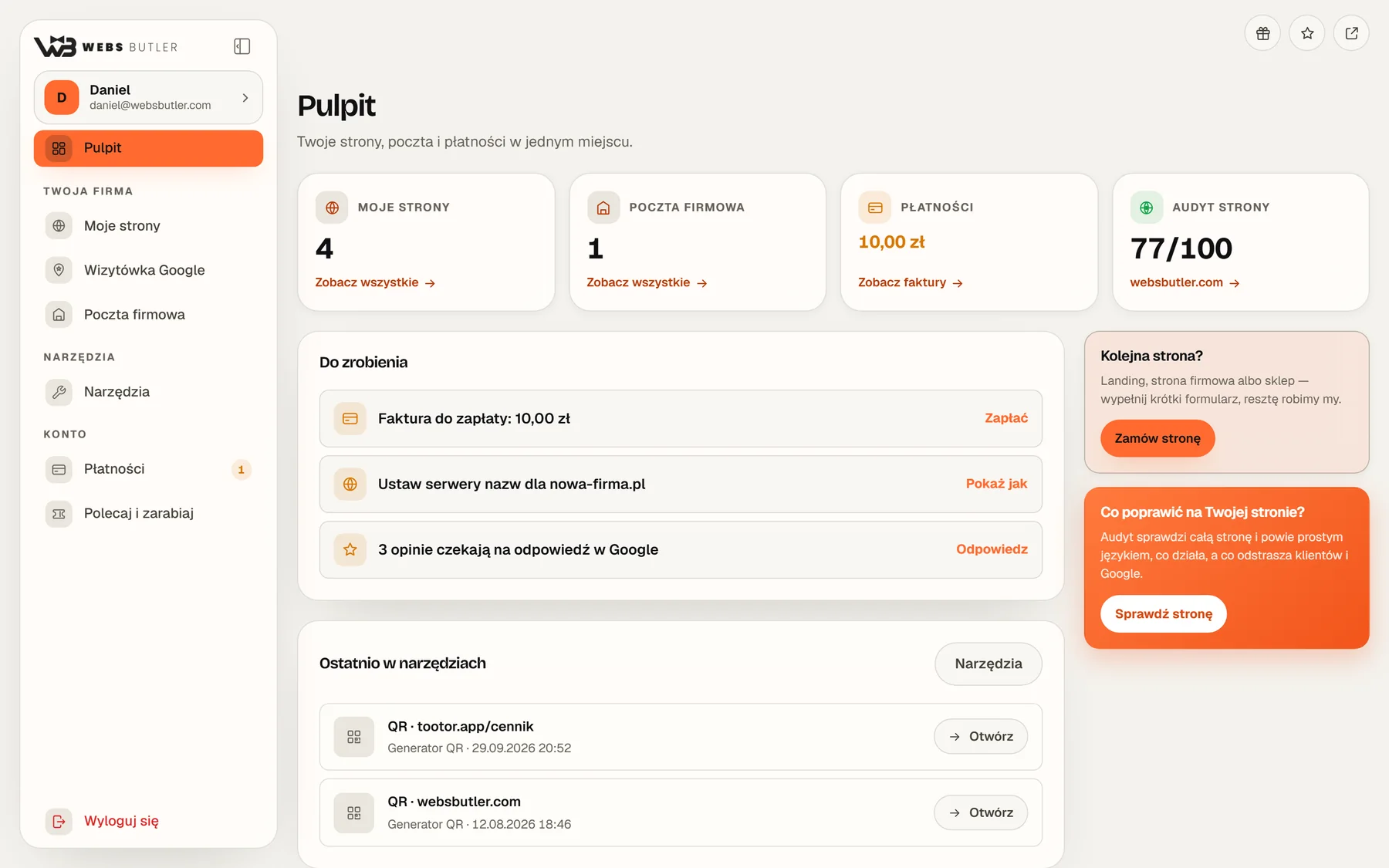
A small business usually has a separate account for everything: Google Search Console for the website, the Google Business Profile for reviews, an invoicing app, some QR code generator and e-mail somewhere else again. Each with a different password, each with a different look. The Webs Butler panel brings what you actually use every day into one place.
One sign-in, one look, one to-do list.
The easiest way to show the panel is an example. Here is an ordinary day for the owner of a small hair salon who has a website and a Google Business Profile. Scroll to see what she does in the panel.
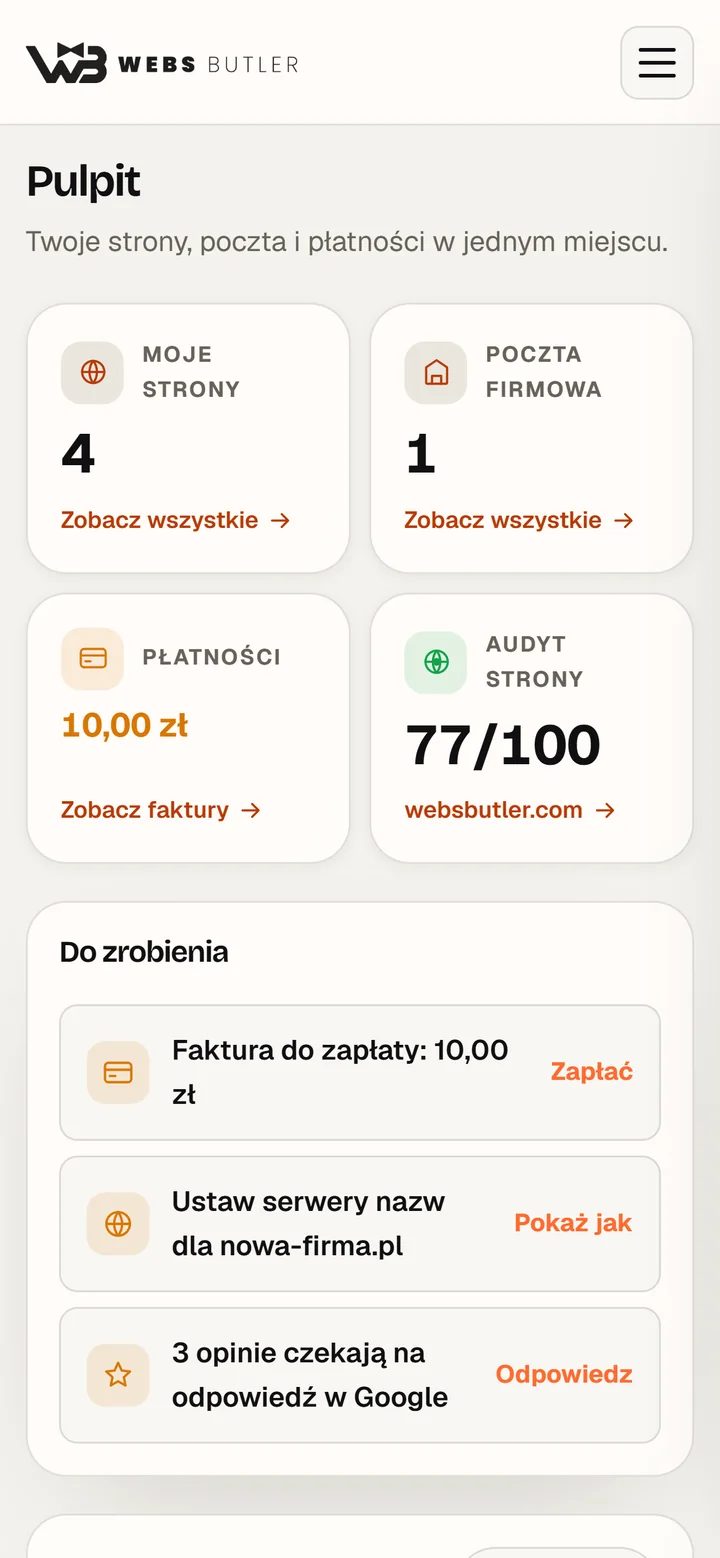
The tiles show websites, e-mail, billing and the audit score. The “To-do” list says what is waiting: an unpaid invoice, a new review, a domain to connect. An empty list means nothing needs doing.
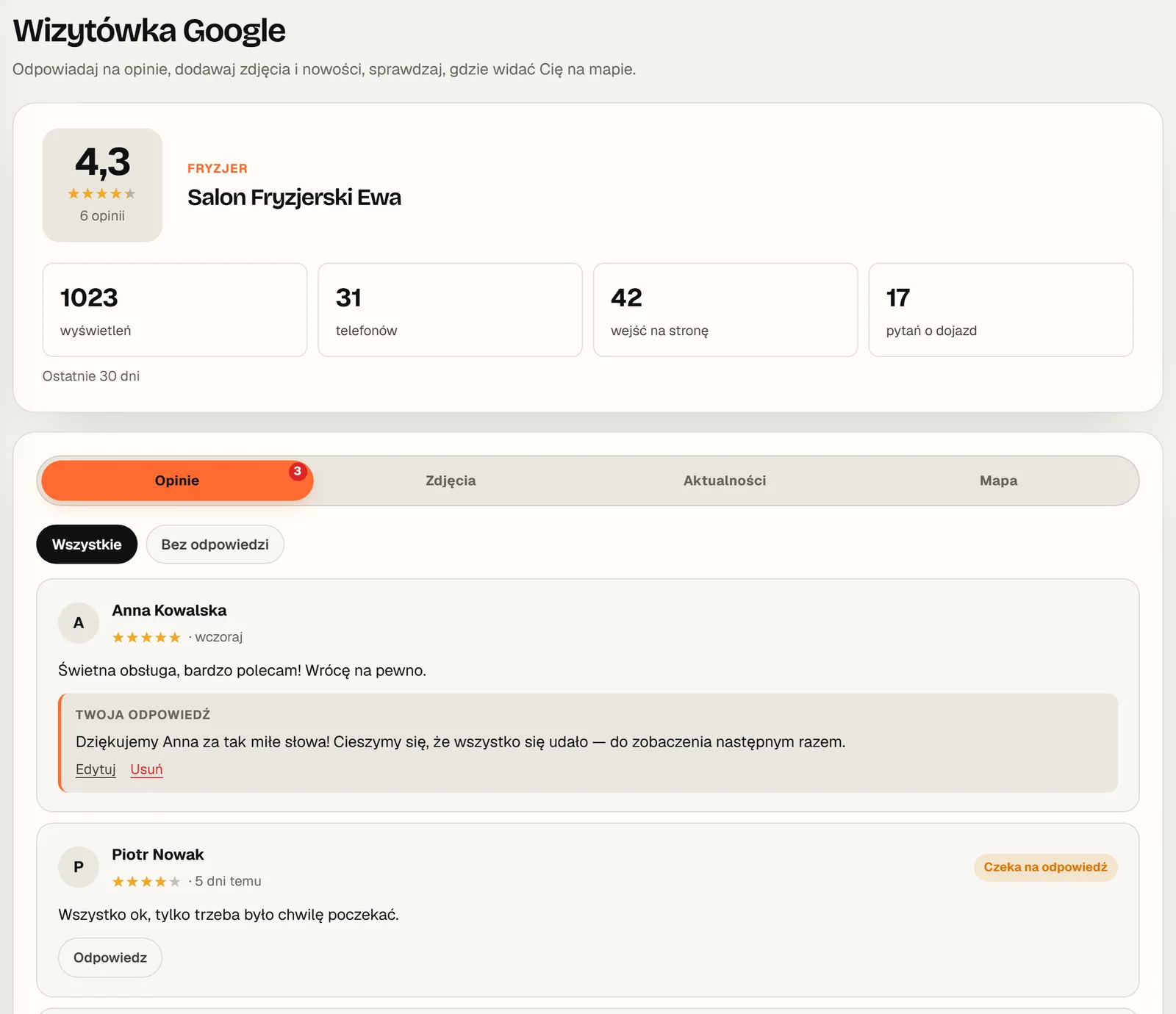
All Google reviews are on one list, with a “Not answered” filter. The “Suggest a reply” button drafts a reply that fits the star rating. She reads it and sends it.
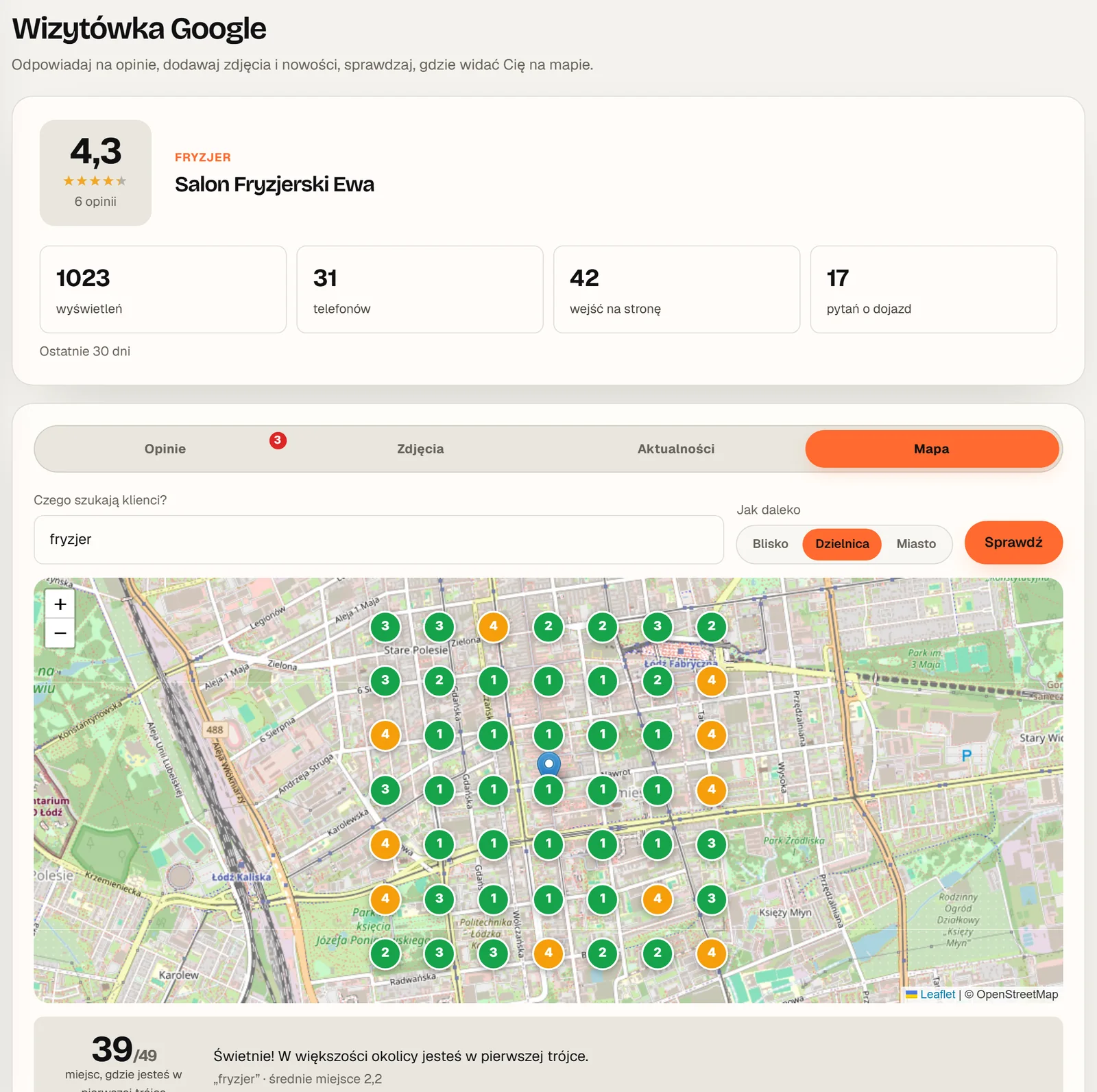
She types “hairdresser” and checks 49 points around the salon. The number on each dot is her position in Google Maps for someone searching from that exact spot.
The generator makes a QR code with the salon’s logo and colours, linking to bookings. For print she downloads the SVG, which stays sharp at any size. The code saves itself, so next month she will not have to look for it.
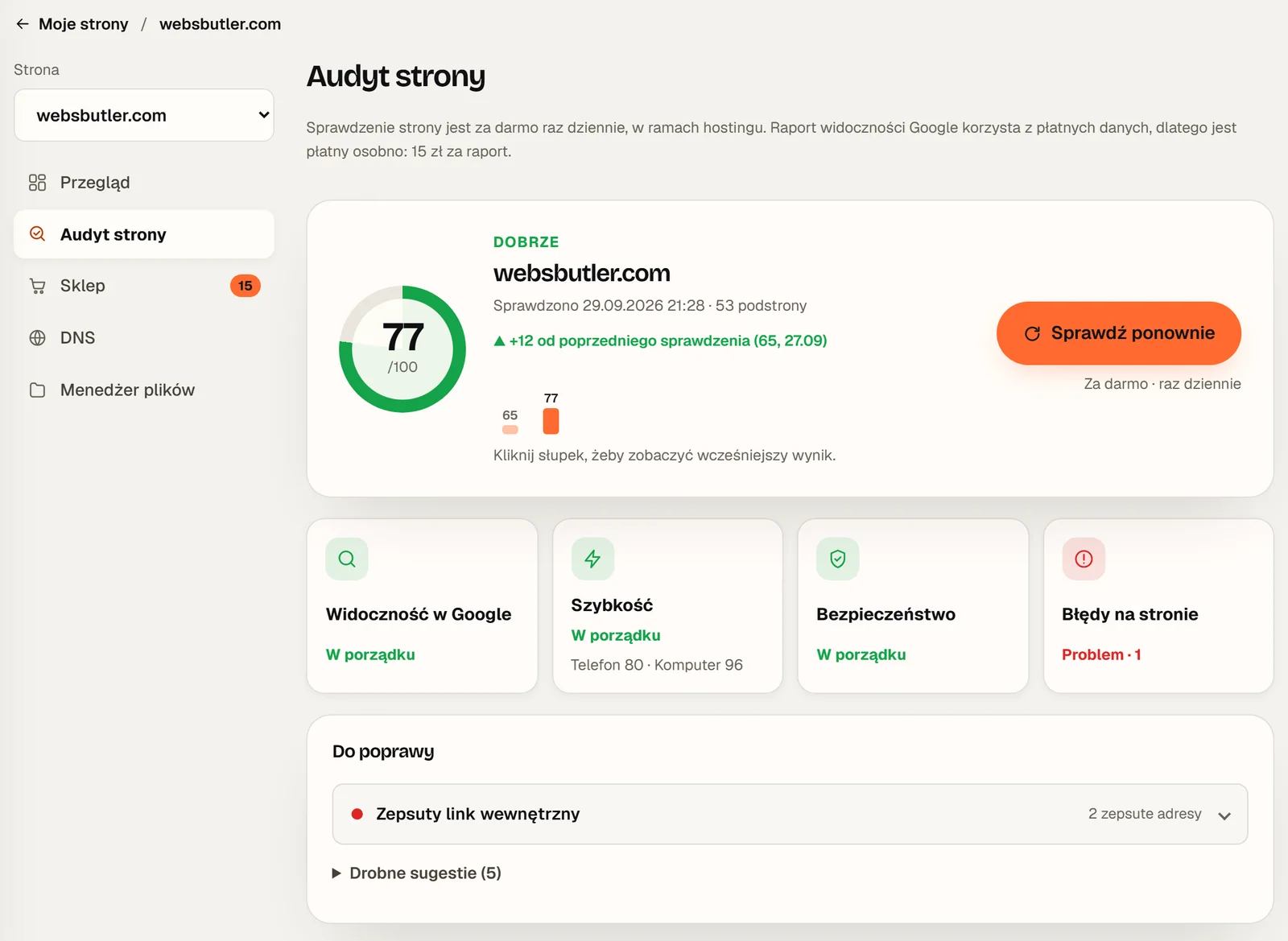
The audit reads the site, measures its speed and reports in plain words, in four areas. The “To fix” list gives the URLs of the pages each problem affects.
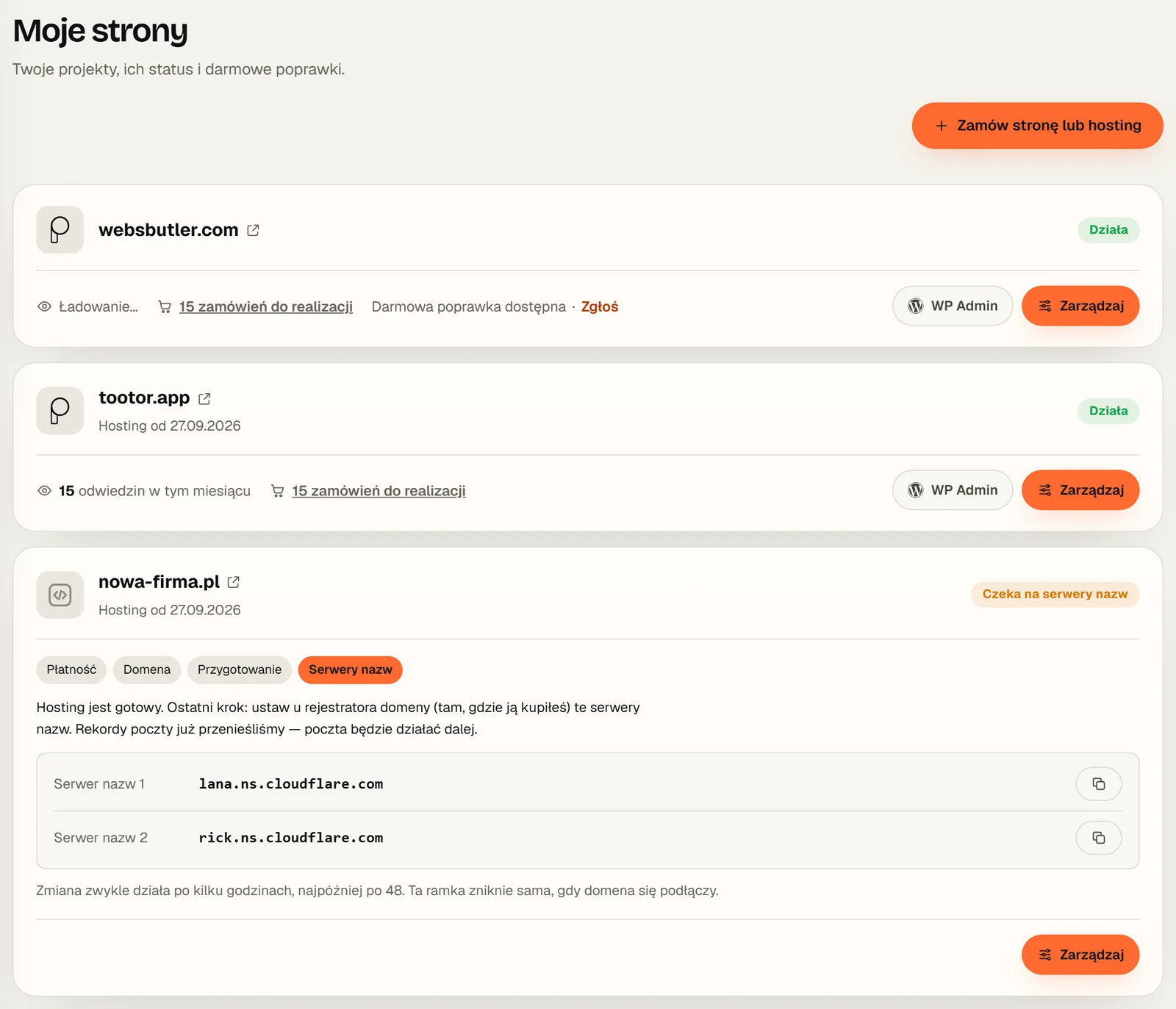
In “My websites” she chooses “Request a revision” and writes what to update. One change a month is included in the website price, and I make it.
The panel works on a phone like an app: you can add it to your home screen. One glance tells her whether anything waits until tomorrow.
It is an example, but every one of these things works in the panel today. Below I describe them in more detail.
For a local business, the Google Maps profile can matter more than the website itself. Replying to reviews, critical ones included, builds trust and helps your position on the map. The problem is that nobody enjoys writing replies from scratch.
Once your Google account is connected, all reviews sit on one list and the “Suggest a reply” button drafts a reply that fits the star rating. Pick a rating and see how it looks.
Pick a rating
Suggested reply
Sample reviews and replies. You can edit every suggestion before sending.In the same place you add photos and updates to your profile and see 30-day results: views, calls, website visits and direction requests. The dashboard reminds you how many reviews are waiting for a reply.
When someone searches for “hairdresser” on their phone, Google shows the businesses closest to them. That is why the same business can be first on its own street and only twentieth a few kilometres away. The ranking map checks this at 49 points around your business.
positions 1-3positions 4-10beyond 10
Sample data. The middle dot is your business.
In the Finance tab you issue invoices, keep a customer list and see who owes you what. For Polish businesses the panel is connected to KSeF, the national e-invoicing system, so an invoice goes there in one click.
Customer from your list, line items, numbering set once. Invoices can be in Polish, English or both.
One button on the list or in the editor. The panel saves the invoice’s KSeF number.
The invoice is sent from your own mailbox, connected once in your profile.
One button pulls in the cost invoices other businesses have issued to you.
The same tab has a Newsletter: messages to your own customers, sent from your mailbox, with addresses taken from your customer list.
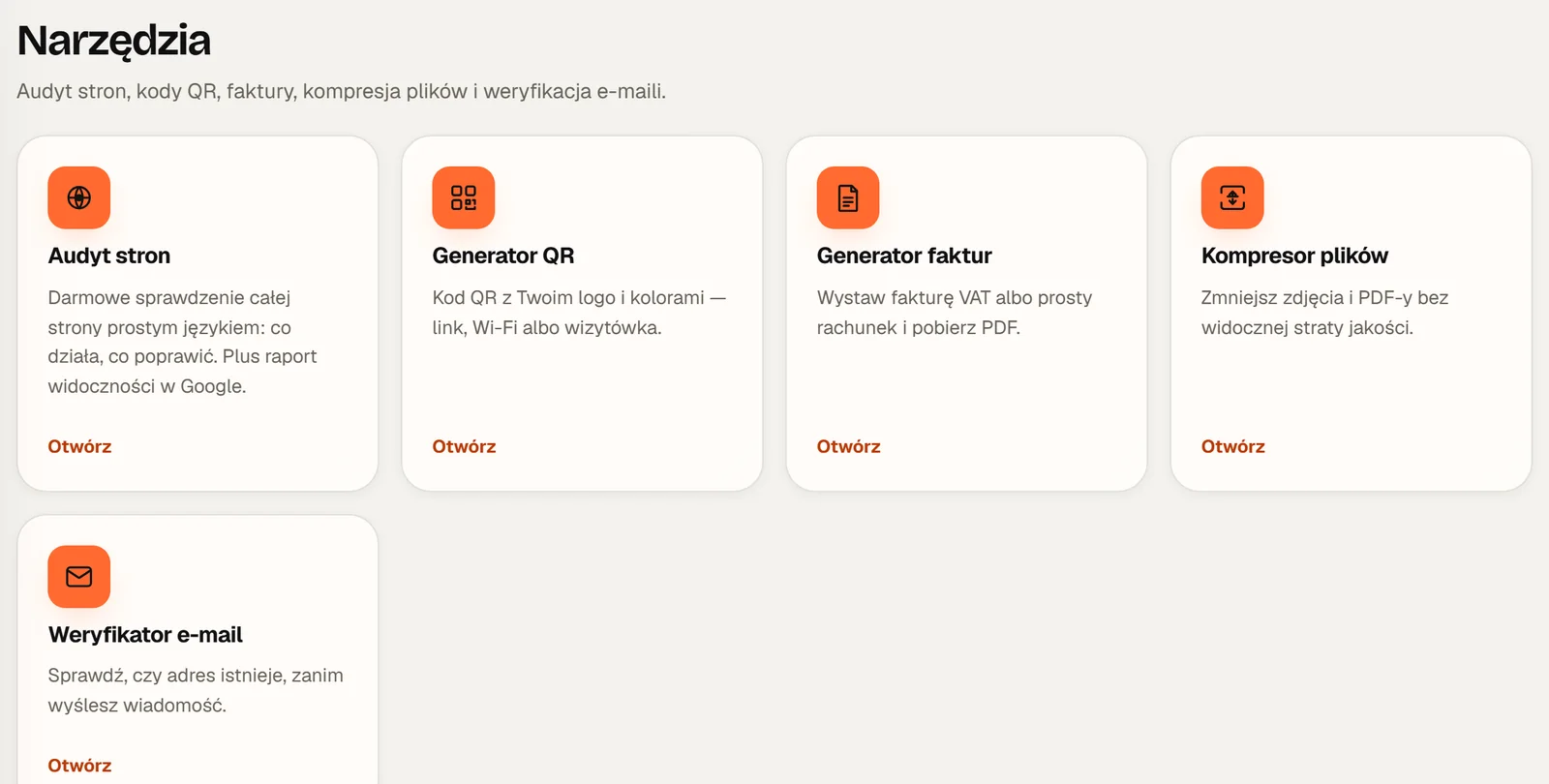
The small things you usually visit five different websites for. Every tool saves what you make in it, and your latest items come back on the dashboard. You can try the QR generator right here.
Type an address and pick a colour. In the panel you can add your logo and save a print-ready version.
A score from 0 to 100 in four areas and a list of fixes. The same place also has keywords, rank tracking, backlinks and competitors.
Shrinks images and PDFs with no visible loss of quality. Everything happens in your browser, nothing is uploaded.
Checks that an address exists before you send a quote or an invoice to it. One typo and the message never arrives.
The first check of any website does not even need an account: run the quick audit. How to do it yourself, step by step, is in my SEO audit checklist.
When your website runs on my server, the panel shows much more than the tools. Every site has a card with its status and a “Manage” button.
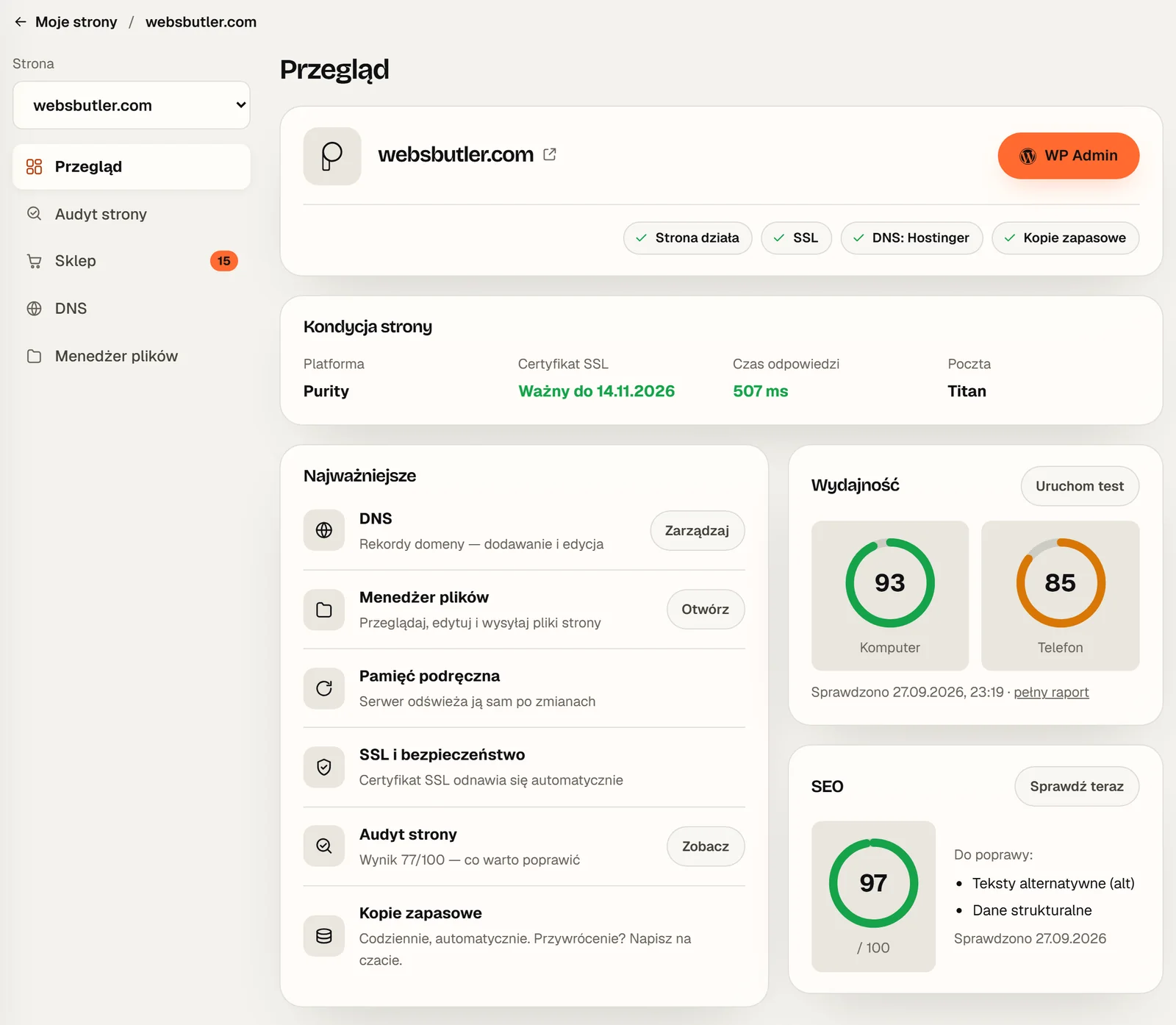
A few things that simply need to work, and that people usually only think about when they stop working.
You sign in with a link sent to your e-mail or with Google. If you prefer, you can set a password too.
Invite an employee or your accountant. Everyone signs in with their own address, and removing access takes effect immediately.
Add the panel to your home screen and open it like an app. Light and dark themes, Polish and English.
Ask your question in the panel. I reply personally and see straight away which website we are talking about.
You decide whether you want news from me and a weekly report about your site. Unsubscribe from each in one click.
You get your own referral code. Your friend gets their second month free, and you get 100 zł.
The account is free. Only reports that need purchased search data cost money, and those are one-off, without a subscription.
For everyone
0 zł
Sign up with your e-mail or Google account, no card needed.
For clients
included
When your site runs on my server, the panel shows much more.
On demand
15-30 zł
One-off, no subscription. You pay for a specific report.
Yes. The account is free and needs no card. Only reports that use purchased search data cost money: a visibility report for your own site is 15 zł (about €3.50) and a full audit of any other website 30 zł (about €7).
No. The tools, the first website check, the Google Business Profile features and invoicing work on every account. With a website or hosting from me you also get server management, e-mail, billing and a free daily audit.
Enter your e-mail and you get a message with a sign-in link. You can also use your Google account, or set a password in your account settings.
Yes. You can switch the whole panel between Polish and English, and invoices can be issued in Polish, English or both.
You sign in with the Google account that manages the profile and grant access yourself. You never give me your password, and you can disconnect at any time.
Yes. Invite people to your account under “My team”. Each signs in with their own e-mail, and you decide who sees billing.
Signing up takes a minute, with your e-mail or Google account. Your first website check runs straight away, with no card and no subscription.
No card. No subscription. In English and Polish.
October 22, 2026
Looking for a web designer in your own town? Why the agency’s address matters less than you think,…

October 22, 2026
How to do a free SEO audit of your website: 20 checks in 15 minutes, from indexing and…
August 7, 2026
Did you know that your website might be losing clients every day, even if you have a great…
Contents